Unity MCP
Your assistant discovers and calls 1998’s tools through the Unity CLI’s MCP server.

Supports Unity MCP and Unity CLI. Bring your own compatible coding assistant to inspect, edit and build levels in your local Unity Editor. Your source map stays editable.
01 START MAKING
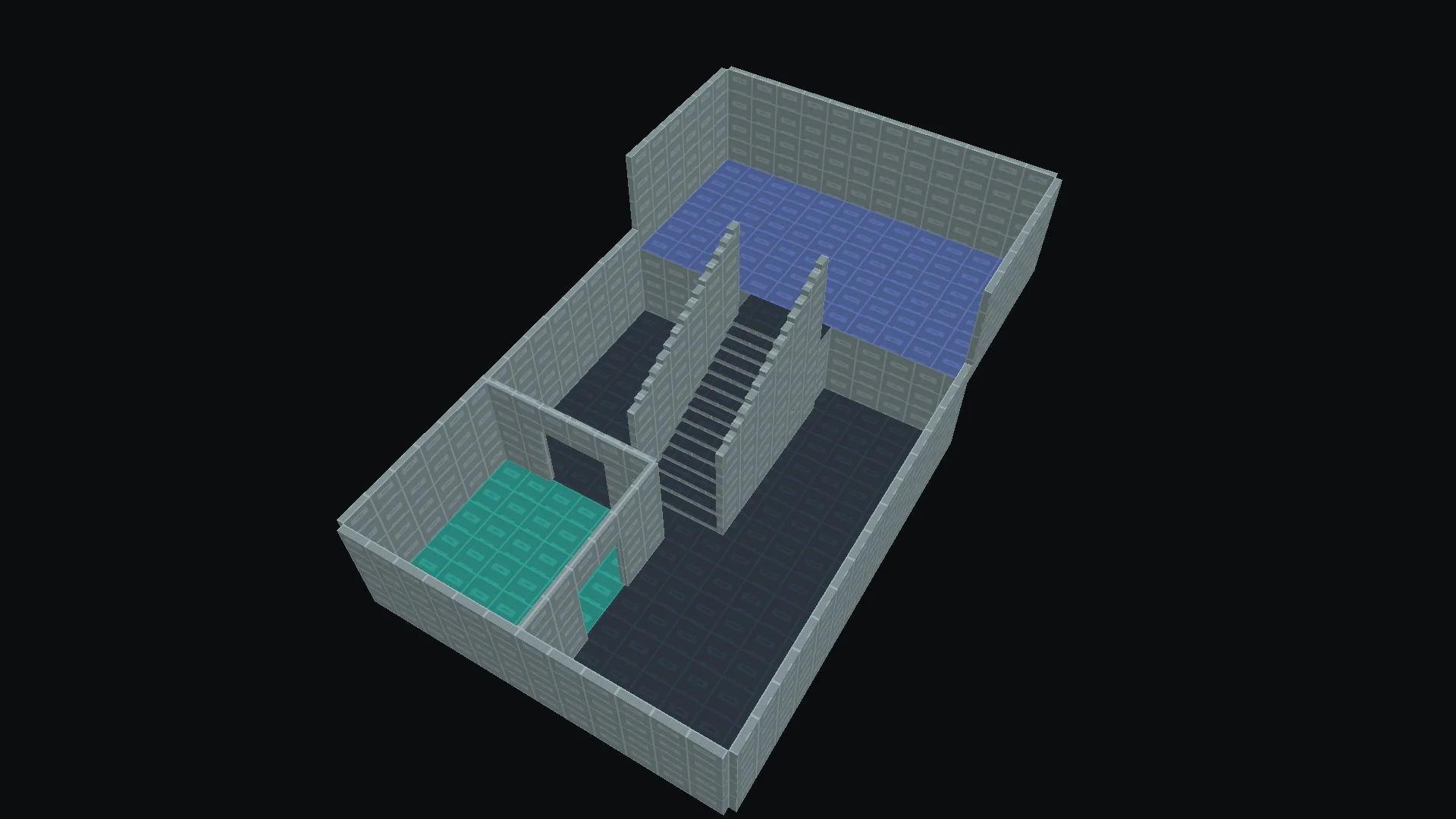
A guided tour of the actual Unity editor, with animated pointers and English narration. From your first room to a precise assistant edit.
Recorded with version 1.1. The video includes real editor captures and a summary of an actual MCP edit. The YouTube player loads when you press play or choose a chapter.
02 THE PLAYABLE PROOF
Three briefs. Three prebuilt results.
Pick a session, launch the viewer, and take a look around.
Explore prebuilt results from recorded MCP sessions. Your own coding assistant drives your local Unity Editor.
RECORDED RESULTS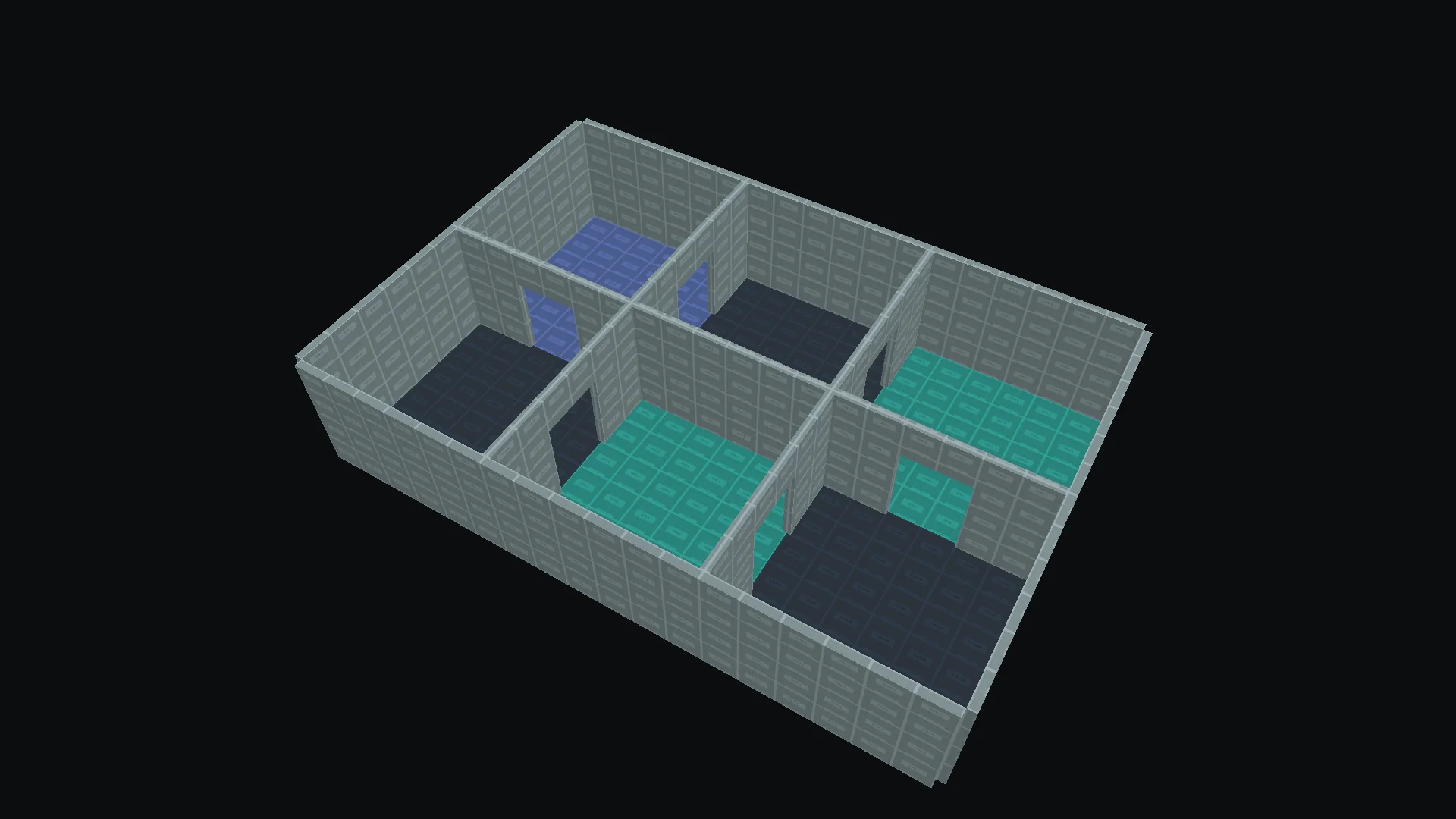
The first launch downloads the Unity viewer.
A REAL BUILD. A MOMENT TO LOAD.The viewer could not finish loading here. You can retry, open it separately, or explore the recording below.
Bring these prompts to your own connected coding assistant. Start from a prepared map and inspect its current state.
Using this six-room shell, connect the spaces into a loop with six 2 m-wide, 2.65 m-high doorways. Keep 3.8 m ceilings and 24 cm solid walls. Give the connecting hall a teal floor and the store an indigo floor. Inspect shared walls, preview edits, validate, build and save the scene.
03 THE WORKFLOW
Ask for a change. Inspect what changed.
The map stays open to your next decision.
BRING YOUR OWN CODING ASSISTANT
Connect a compatible coding assistant through Unity MCP, or give it access to Unity CLI. 1998 provides the level-authoring tools; you choose the assistant and use your own account.
Get the setup guide + promptsYour assistant discovers and calls 1998’s tools through the Unity CLI’s MCP server.
Use the same authoring commands from your terminal, scripts or a coding assistant with command-line access.
Both routes use the optional Unity Pipeline integration in your local Unity project. Bring your own assistant, model and any required subscription. Visual editing works independently.
Connect your assistant through Unity MCP, or use Unity CLI. Discover the level tools.
Read the source map, its settings and current revision.
Make a scoped change to rooms, doors, stairs or surfaces.
Check dimensions and diagnostics before moving on.
Update the scene geometry. Review it and save explicitly.
FROM THE RECORDED SESSIONS
The recorded sessions turn prepared shells into connected rooms, a raised gallery and a revised layout. Take a quick look at the results.
Explore the exact tool calls below.
The result reel is unavailable here. Explore the playable viewer above and the editor capture below.
Open this panel to load the recorded trace.
04 YOUR HANDS ON THE MAP
The visual editor is a complete workflow.
AI assistance is there when you want it.
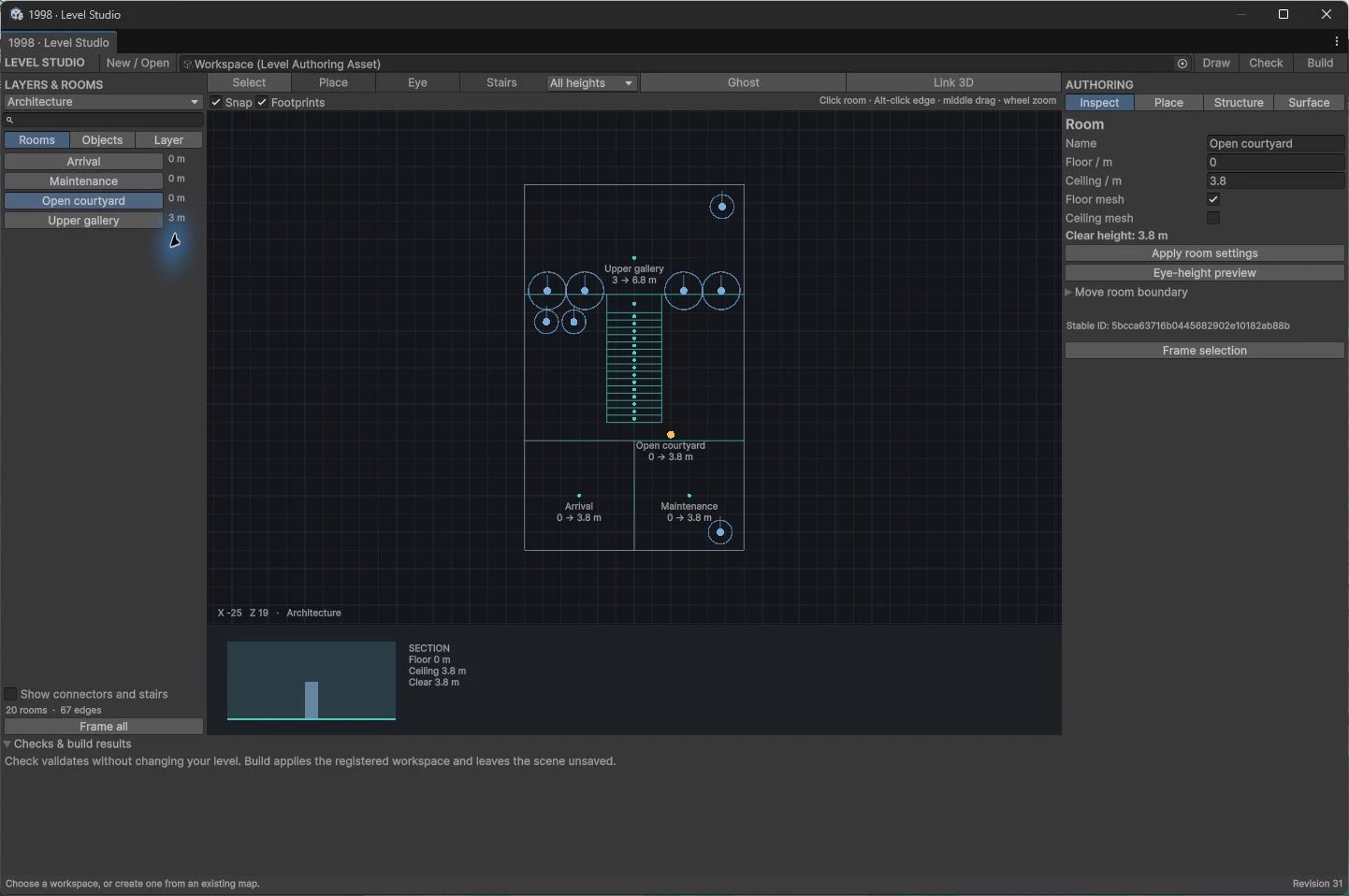
Draw room boundaries. Set floor and ceiling heights. Give openings real dimensions, or connect elevations with stairs.
Choose surfaces, adjust UVs, place prefabs and anchor registered objects. Rebuild from the editable map as the design changes.
Use Undo, inspect diagnostics and Build explicitly. Your scene continues to own its gameplay, lighting and unrelated objects.
05 BACK TO YOUR EDITOR
Start with a room. Turn it into somewhere worth exploring.
View on the Asset StoreVersion 1.1 brings visual authoring and tools designed for AI coding assistants to the same editable map.
Download the sample promptsHDRP demo rendering is not verified. Core visual authoring works without an external AI service. Unity MCP and Unity CLI support use the optional Unity Pipeline integration. Bring your own compatible coding assistant and its account. An AI assistant, model or subscription is not included.